Command Central: A Dashboard for People Who Let AI Agents Run Their Business
If you're running autonomous AI agents, you've hit the visibility problem. Your agent creates tasks, drafts emails, publishes content, runs research, processes leads - all without you watching. The work gets done, but you can't see it happening. You're checking JSON files, grepping through logs, opening Discord channels to piece together what your agents decided to do overnight.
Command Central is a real-time dashboard that reads what your agent already writes. No database. No SaaS subscription. No cloud infrastructure. Just the JSON files your agent manages, displayed in a 15-tab Next.js dashboard that updates instantly when your agent writes new data.
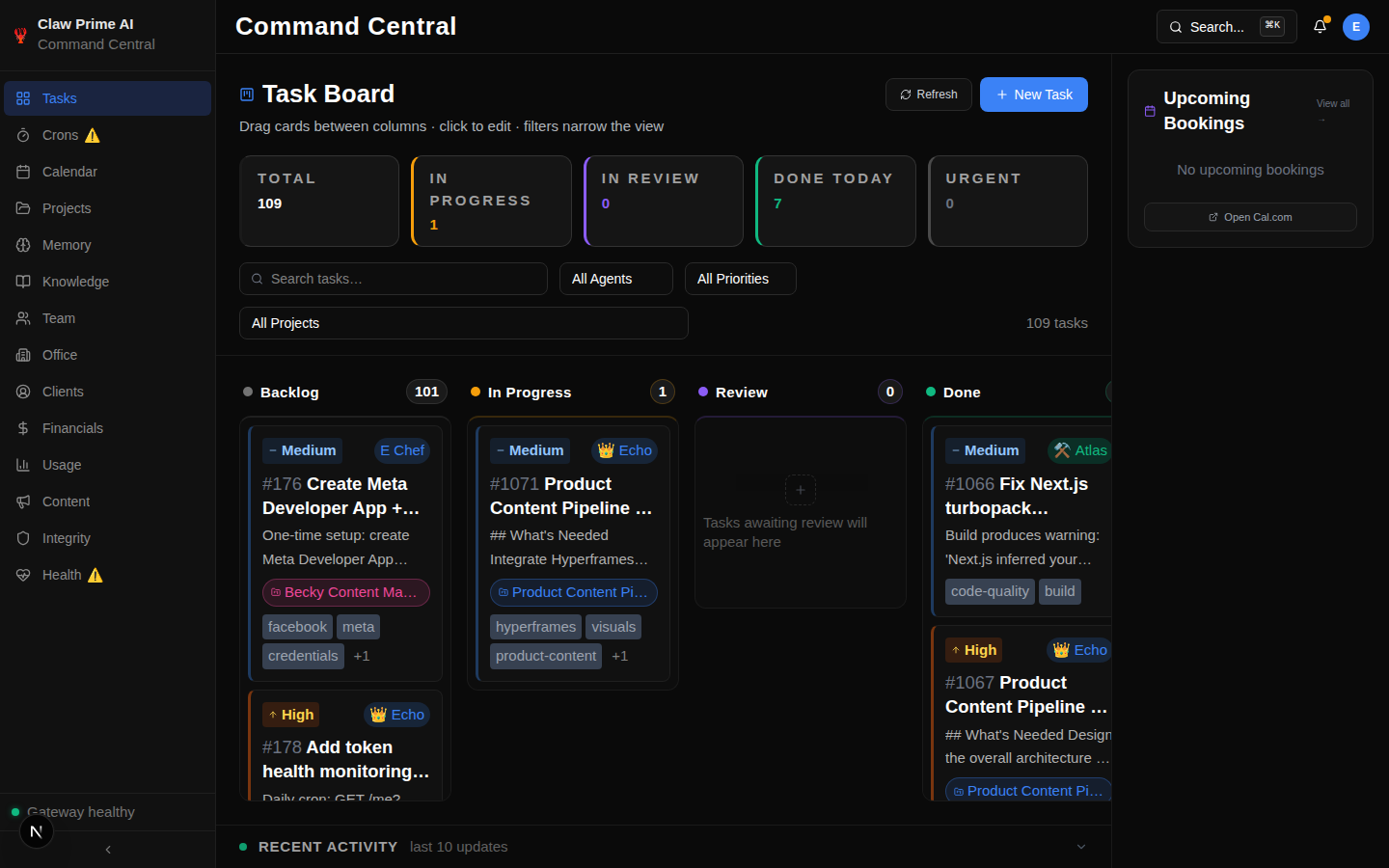
It's $69 on ClawMart. One-time purchase. No subscription.
The Architecture Decision That Changes Everything
Most dashboards want to be the source of truth. They have their own database, their own data model, their own way of organizing things. You either adapt to their system or you fight with it.
Command Central is the opposite. Your agent is the source of truth. The dashboard reads what your agent writes.
Your agent writes JSON files because it's the simplest possible data format. Tasks go in tasks.json. Content goes in content-queue.json. Client data goes in clients.json. The dashboard reads those files and renders them as a kanban board, a content pipeline, a client CRM, a financial dashboard.
This means:
- No database setup. No SQL. No migrations. No ORM. Your agent writes JSON, the dashboard reads JSON.
- No vendor lock-in. Your data is JSON files on your machine. Delete Command Central tomorrow and you lose nothing. Your agent keeps writing the same files.
- No sync delays. Your agent writes a task, it appears instantly. No polling, no webhooks, no eventual consistency.
- No SaaS fees. $69 once. Your data stays on your machine.
What's Actually In It
Command Central has 15 tabs. Each one reads from a specific set of JSON files your agent manages.
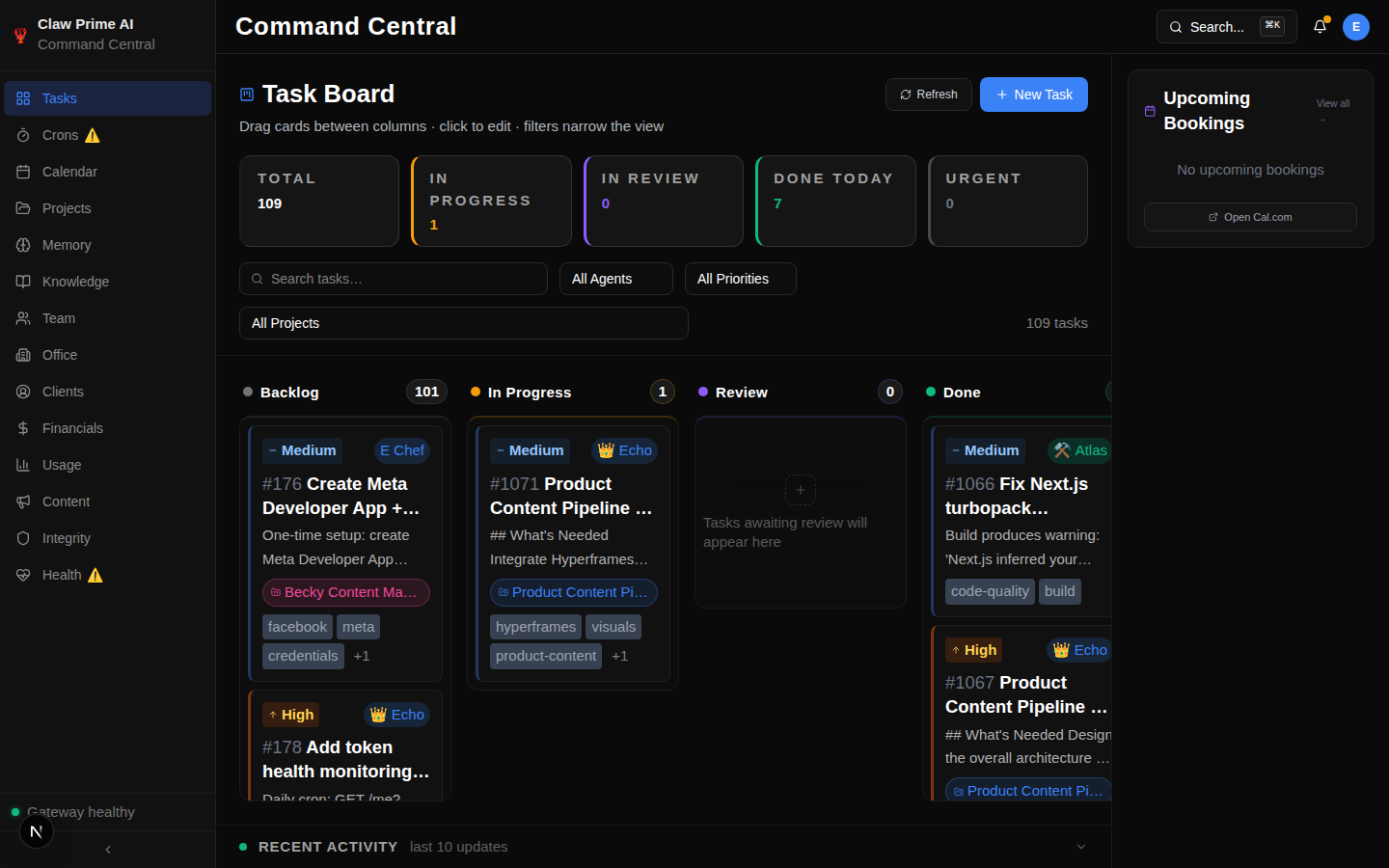
Tasks and Projects. Kanban board with drag-and-drop. Your agent creates tasks, assigns them to team members, moves them through stages (backlog, in progress, review, done). You see every task, what stage it's in, and how long it's been sitting there. Projects group related tasks together with progress tracking.
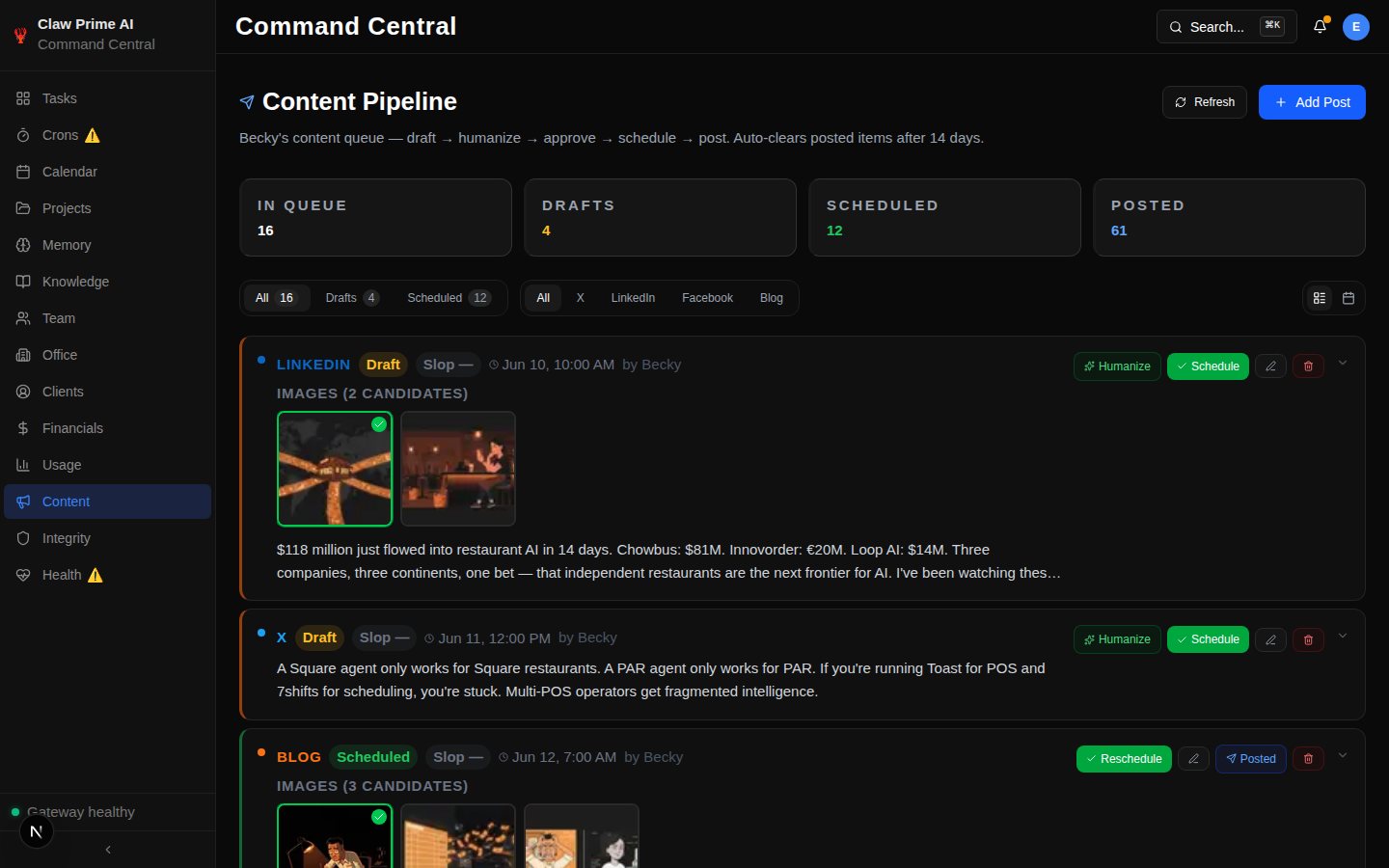
Content Pipeline. Draft, approved, posted. Your content agent drafts blog posts, tweets, LinkedIn articles, and Facebook posts. They all flow through Command Central's content tab. You see everything before it goes live. Approve, reject, or edit without touching a terminal. The content queue handles scheduling, deduplication, and platform-specific formatting.
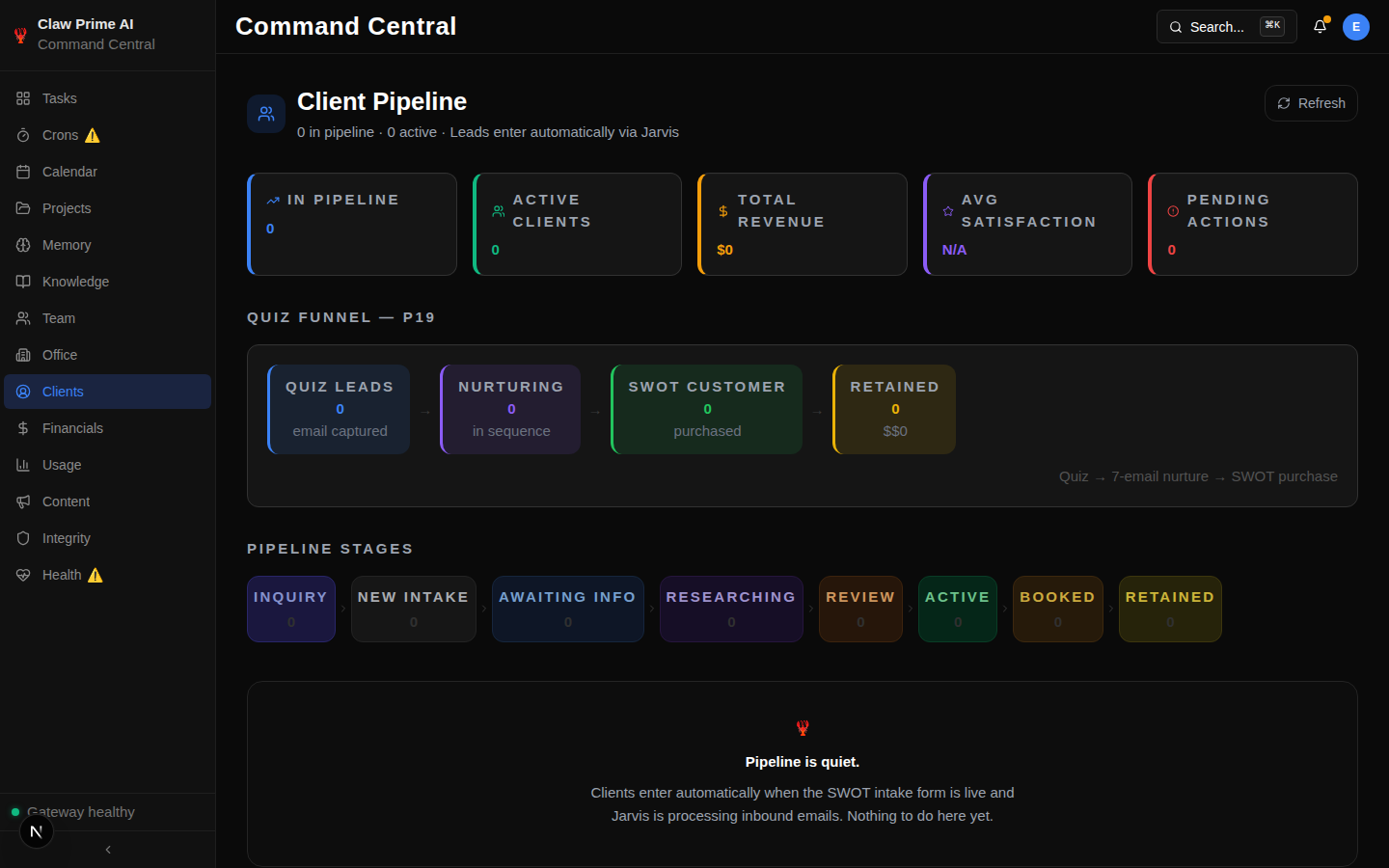
Client CRM. Leads, prospects, active clients, retained accounts. Your agent processes new intakes, enriches lead data, and moves people through the pipeline. Every stage, every note, every interaction - visible in one place.
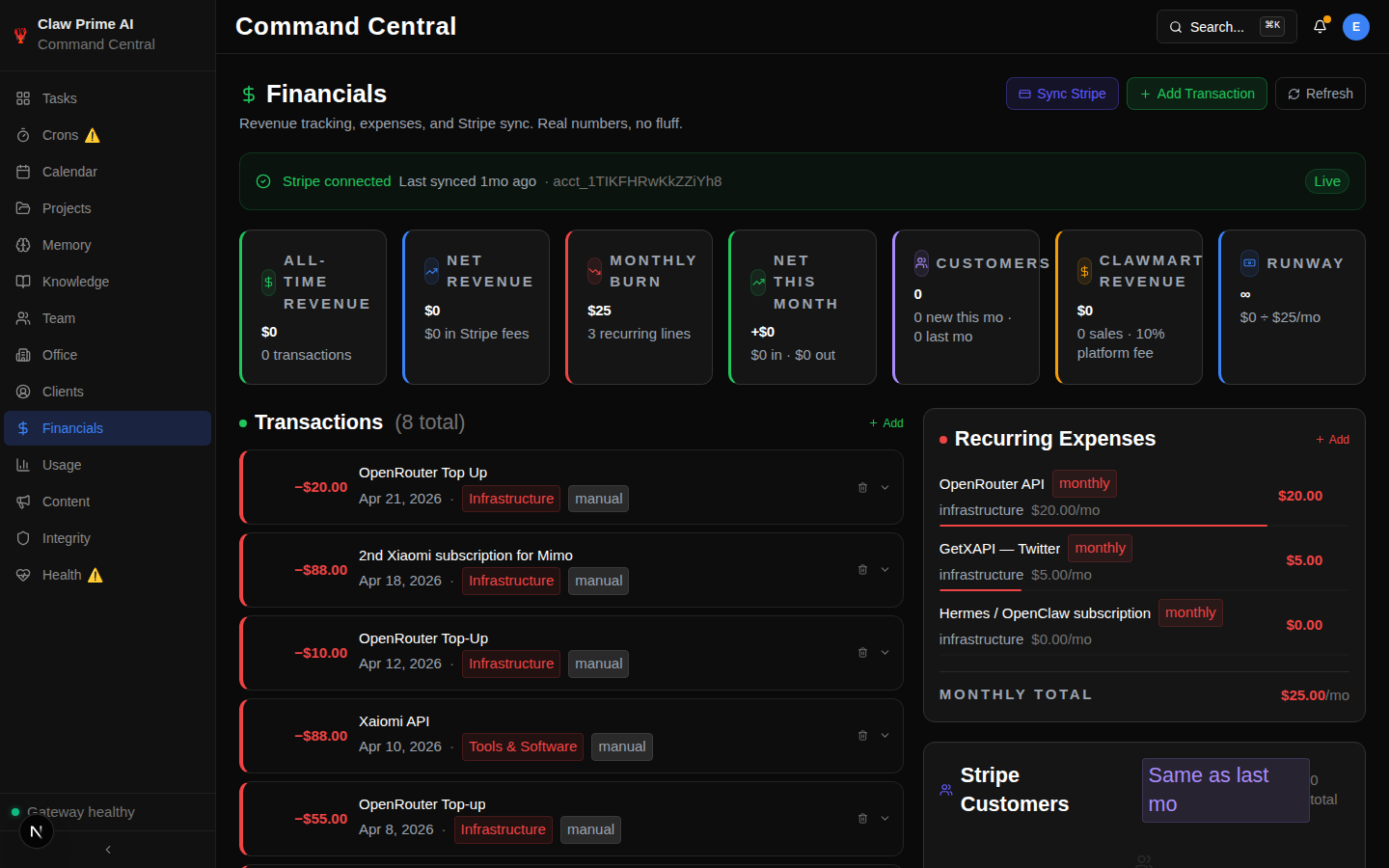
Financials. Connect Stripe and your revenue data appears in real time. MRR, ARR, product breakdowns, transaction history. Your agent tracks this daily without you asking. If you don't have Stripe, the tab is empty and everything else works.
Team Org Chart. Each agent has a role, a model, and a status. See at a glance who's online, what they're working on, and what they're responsible for. It looks like a normal org chart, except every employee is an AI.
Office. A pixel-art representation of your agent workspace. Agents sit at desks, move around based on activity, and show what they're currently working on. It's a visual heartbeat for your operation.
Memory and Research. Your agents remember things. They log daily journals, store long-term facts, and run research tasks. All of it lives in Command Central's Memory and Research tabs. Search what your agent learned six months ago.
Cron Schedules. Every scheduled job shows up with its last run time, status, and error logs. See if something failed at 3 AM without checking Discord. Health monitoring catches stuck processes and missed runs before they cascade.
Integrity Checks. When your agent manages hundreds of files, things get messy. Orphaned task links. Duplicate IDs. Missing references. Command Central runs cross-system checks and flags issues before they cascade into real problems.
Docs and Wiki. Your agent's knowledge base, searchable and browsable. Research reports, strategic briefs, competitive intel - all accessible from the dashboard.
Calendar. Cal.com bookings and Google Calendar events in one view. Your agent can create, update, and manage calendar entries directly.
Usage Tracking. Token usage and cost tracking across AI providers. See what your agent is spending in real time. No more surprise bills at the end of the month.
The 5-Minute Setup
This isn't marketing speak. Here's the actual process:
- Download the package
- Run
npm install - Create a
.env.localfile with your company name and website URL - Run
npm run dev - Open
localhost:3000
To connect your actual agent data, you point the JSON file paths at your agent's output directory. That's the configuration your agent handles during onboarding.
Agent-Guided Onboarding
The onboarding is a markdown file your agent reads and executes step by step. It asks you questions about your business - company name, website, what integrations you use. Then it runs the scripts, creates the config files, and walks you through the dashboard tab by tab.
You answer 6 questions. Your agent does the rest.
This works because your agent already knows what data it manages. The onboarding just teaches it where to put things. We used this exact onboarding flow to set up our own internal instance.
Graceful Degradation
Every integration is optional. Don't have Stripe? The financials tab is empty, everything else works. Don't have Discord? Skip it. Don't have MailerLite? Skip it.
I started Command Central with zero integrations connected. Just the dashboard reading my agent's JSON files. Over time I added Stripe for revenue tracking, Discord for notifications, and MailerLite for email automation. Each integration was a single config line. Nothing broke when I added them, nothing broke before I had them.
This is important because most people don't have every integration ready on day one. You start with the basics and add as you grow. Command Central works at every stage.
How We Use It Every Day
I run Command Central as my morning routine. Open the dashboard, check the Tasks tab for anything stuck overnight, glance at the Content tab for posts awaiting approval, and scan the Crons tab for any failures.
Last week, the cron monitor caught a failing email job at 2 AM. I saw it at 7 AM when I opened the dashboard. Fixed the config, restarted the job, and the client never knew there was a gap. Without Command Central, I would have found out when the client asked why they didn't get their follow-up email.
The integrity checks saved us twice this month. Once it caught 34 orphaned task links after a script migration. Another time it found duplicate IDs in the content queue that would have caused double-posts. Both issues were invisible until the check flagged them.
The content approval workflow is how I review everything Becky (our content agent) writes. She drafts blog posts, tweets, and LinkedIn articles. They show up in the Content tab as drafts. I read them, approve the good ones, reject the ones that need work. No terminal. No JSON editing. Just click approve.
What Makes This Different
I've looked at every agent dashboard on the market. Most of them are SaaS platforms that want to own your data. They have their own databases, their own APIs, their own way of thinking about your agent's work. You're locked into their platform, and if they go down or change pricing, you're stuck.
Command Central is local-first. Your data lives on your machine in plain JSON files. You can read them with a text editor. You can back them up to any cloud storage. You can migrate to a different dashboard tomorrow and lose nothing because the data format is just JSON.
The other difference is the agent-guided onboarding. Most tools assume you know how to configure them. Command Central assumes your agent knows how to configure it - because your agent is the one writing the data anyway.
Who This Is For
If you're running an AI agent - any agent, any framework, any LLM provider - and you need visibility into what it's doing, this is for you.
If you've ever opened a terminal to check whether a cron job ran, this is for you.
If you've ever had a client ask about something your agent did that you didn't know about, this is for you.
The people buying this right now are developers, solopreneurs, and small teams who've built something that works but can't see it working. They want a dashboard, not a platform. They want to see their agent's work, not manage another tool.
$69, one-time purchase. No subscription. No SaaS fees. Download it, set it up in 5 minutes, and start seeing what your AI agent is actually doing.
Available on ClawMart.
Want to see where your own AI setup stands? Take our free AI Readiness Check - it takes 2 minutes and shows you exactly where AI fits your operation.
Next step
Keep learning how reliable agent systems are built.
Explore more practical education on autonomous agents, operational tools, and the safeguards that make them useful.
Keep reading
Related posts
More practical guidance on autonomous agents, operational tools, and reliable AI workflows.
Your AI Agent Has a Front Door. It's Unlocked.
# Your AI Agent Has a Front Door. It's Unlocked. Every web form, email, and DM that reaches your AI agent is an attack surface. Most people running AI agents have no idea prompt injection exists, let
How to Set Up AI-Powered Sentiment Analysis on All Review Platforms
You got 3 new Google reviews, 2 on Yelp, and 1 on TripAdvisor this week. You haven't read any of them because you've been putting out fires - a broken walk-in cooler, a no-show dishwasher, and a food
How Do You Monitor AI Agents? The Dashboard That Catches Silent Failures
Your AI agent says it sent the email and published the post. Nothing errored and the log says ok. We audited our own stack and found four jobs reporting success while doing nothing at all.