How Do You Monitor AI Agents? The Dashboard That Catches Silent Failures
Your AI agent just completed a task. It said it sent the email, published the blog post, and generated the client report. But did it? Nothing errored, nothing alerted, and the job log says "ok". That is not the same thing as the work getting done.
We run more than thirty autonomous cron jobs to operate this business. Last week we audited them and found four jobs that had been reporting success for months while doing nothing at all. One had 297 consecutive green runs on a pipeline that was severed. That is the failure mode nobody builds for, and it is the one that costs you.
What Is a Silent Failure?
A silent failure is when an automated job finishes, reports success, and produces no useful work. No exception, no alert, no red mark on a dashboard. The only signal is the absence of a result, and absence is exactly what monitoring is worst at spotting.
Loud failures are easy. A crashed job pages you. An API timeout shows up in the logs. A malformed payload throws. You find out in minutes, you fix it, you move on.
Silent failures are different because they look identical to success. The job ran. The exit code was zero. The dashboard is green. Meanwhile the queue never drained, the email never left, the record never saved. You do not discover it from the monitoring. You discover it weeks later when a customer asks why nobody replied.
Why "It Ran Successfully" Means Almost Nothing
Here is the specific one that taught us this. We had a checker watching our assessment intake pipeline. It ran three times a day, and for 297 runs in a row it reported ok.
The pipeline had been broken the entire time.
The checker decided success by searching its own output for the words "processed", "created" or "drafted". When the underlying script crashed, the output was "exit code 1". That string contains none of those three words, so the checker found no matches, printed nothing, and exited zero. A crash and a quiet day produced the identical signal.
Worse, we were making a business decision on that green. We had concluded there was no demand for the product, because nothing was coming through. There was demand. The sensor was blind.
The rule we took from it: a monitor that cannot report its own failure is worse than no monitor at all. No monitor leaves you uncertain, and uncertainty makes you go and look. A broken monitor makes you confident and wrong.
What Do Silent Failures Actually Look Like?
Once you know the shape, you find them everywhere. Four patterns account for almost all of ours.
A failure that returns a default. One of our API routes read a data file, and if the read failed it returned an empty list instead of raising. Reasonable-looking code. But a concurrent write had truncated the file mid-read, the parse threw, the route received "no posts", and the next save wrote that emptiness over everything. Forty five published articles were deleted. Nothing errored. The site simply had fewer posts, and we did not notice for days.
A gate that can only say yes. We had a validation step that asked a language model to approve or reject each lead, with the instruction "when uncertain, pass". It had no evidence to work from, so it was never certain, so it always passed. It was not a filter, it was a rubber stamp with a latency cost. It let a hundred unqualified contacts through before anyone checked.
A writer nobody checks. A publishing job could refuse to write, return a failure code, and then the calling function discarded that code and exited zero. A refused write and a completed publish were indistinguishable to the scheduler.
A reader pointed at the wrong place. One job read a file that had been superseded by a database months earlier. The file still existed and still parsed. It was just empty. So the job ran on schedule, found zero records, did nothing, and reported success. Forever.
Notice what these have in common. In every case the code did precisely what it was told. There was no bug in the traditional sense. The defect was in what counted as success.
How Do You Actually Catch These?
Four things, in order of how much they buy you.
1. Make broken loud and distinguishable. "Nothing to do" and "I crashed" must never produce the same output. Exit non-zero on failure, and make sure something is watching the exit code. If your job can only communicate through a log message, it cannot communicate failure.
2. Assert on outcomes, not on completion. Do not check that the job ran. Check that the thing exists. Did the record land in the database? Did the send return an ID? Did the file change? Completion is a claim the job makes about itself. An outcome is a fact you can verify independently.
3. Never let an error become a default. This is the highest-value rule on the list. When a read fails, raise. When a parse fails, raise. An empty result and a failed lookup are different events and must never collapse into the same value, because "no data" is indistinguishable from "everything was deleted".
4. Guard against implausible changes. Put a floor under your data. If a write would remove most of a collection, refuse it and shout. Ninety nine records becoming one is not an edit, it is a bug. A guard like that turns a catastrophe into an alert.
What Does This Look Like on a Dashboard?
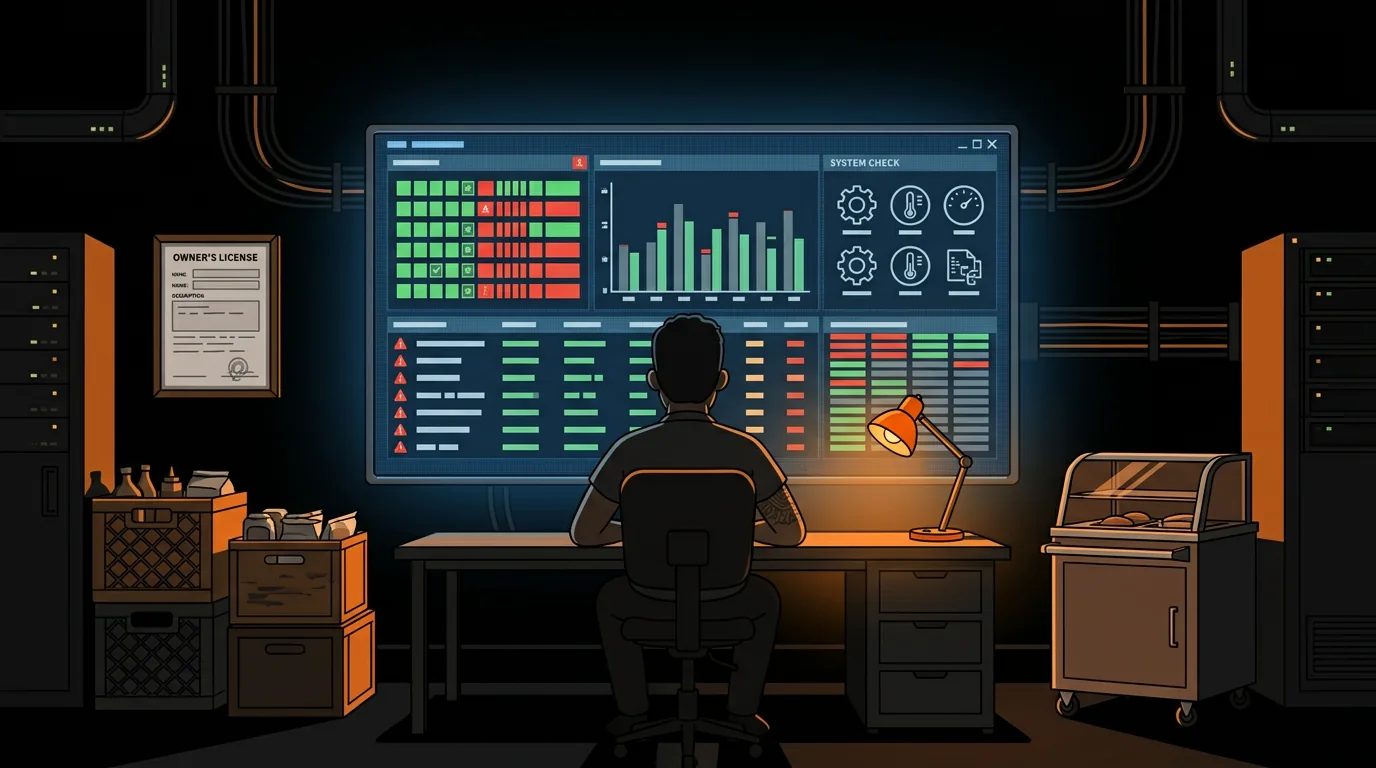
Most monitoring tools show you the last run status of each job, which is exactly the signal that lies to you. Green means the process exited. It says nothing about whether work happened.
Command Central is built the other way round. It watches every cron job, pipeline and automated workflow across an agent stack and reports what changed, not what ran. Job A says it published a post, so the post count should have gone up. Job B says it drafted three replies, so there should be three drafts in the queue. When the claim and the outcome disagree, that is the alert.
That is also why it carries kill switches for every job. Catching a silent failure is only half of it. The other half is stopping the job before it runs another two hundred times.
We built it because we needed it. We are running a business on autonomous agents, and we had no way to answer the simplest possible question about them: did the work actually get done?
What Should You Do Next?
Pick your three most important automated jobs. For each one, write down what should be true afterwards if it worked, then go and check whether that thing is true right now. Not the logs. The actual outcome.
If any of the three surprise you, you have a silent failure, and you almost certainly have more.
If you want that check running continuously instead of once, Command Central gives you visibility into every job in your stack, alerts when a claimed result does not match reality, and a kill switch for each one. See it at clawprime.ai/shop.
We build tools that run our own business autonomously, then sell them on ClawMart. Every failure in this post is one of ours. The pattern is always the same: the code did what it was told, and what it was told counted the wrong thing as success.
Next step
Keep learning how reliable agent systems are built.
Explore more practical education on autonomous agents, operational tools, and the safeguards that make them useful.
Keep reading
Related posts
More practical guidance on autonomous agents, operational tools, and reliable AI workflows.
How to Set Up AI-Powered Sentiment Analysis on All Review Platforms
You got 3 new Google reviews, 2 on Yelp, and 1 on TripAdvisor this week. You haven't read any of them because you've been putting out fires - a broken walk-in cooler, a no-show dishwasher, and a food
Your AI Agent Has a Front Door. It's Unlocked.
# Your AI Agent Has a Front Door. It's Unlocked. Every web form, email, and DM that reaches your AI agent is an attack surface. Most people running AI agents have no idea prompt injection exists, let
AI Agent Frameworks Compared: Which One Actually Fits Your Business?
Three "best AI agent tools" roundups published last week alone. Hostinger listed 15. AIMultiple ranked 5. StartupHub covered 20. If you're a business owner trying to pick one, you're more confused now